
Chrome Canary, new Google Chrome features that change how you use the browser
Currently, Google Chrome is no longer just a browser for basic internet browsing. Recent updates introduce features that directly impact productivity, how you search for information, and how you interact with digital content.
Based on the material analyzed, this article presents three relevant features recently introduced in Google Chrome and Chrome Canary, explained clearly, with practical examples and concrete benefits for users.
What is Chrome Canary and why is it important for testing new features
Chrome Canary is the experimental version of Google Chrome browser, designed to test new features before their official release. This version can be installed separately and does not affect the main browser.
The major advantage is early access to options that will become standard.
For users interested in productivity, testing, or rapid adaptation to changes in the Google ecosystem, Chrome Canary offers a clear perspective on where the browser is heading.
Split view of tabs directly in the browser
One of the most useful features being tested is the split view of tabs in the same browser window. This option allows simultaneous display of two web pages without needing to open multiple windows or use the operating system's organization features.
By right-clicking on a tab, the user can select the option to add to a split view. Immediately, the browser displays the two pages side by side, in a clean and well-organized manner.
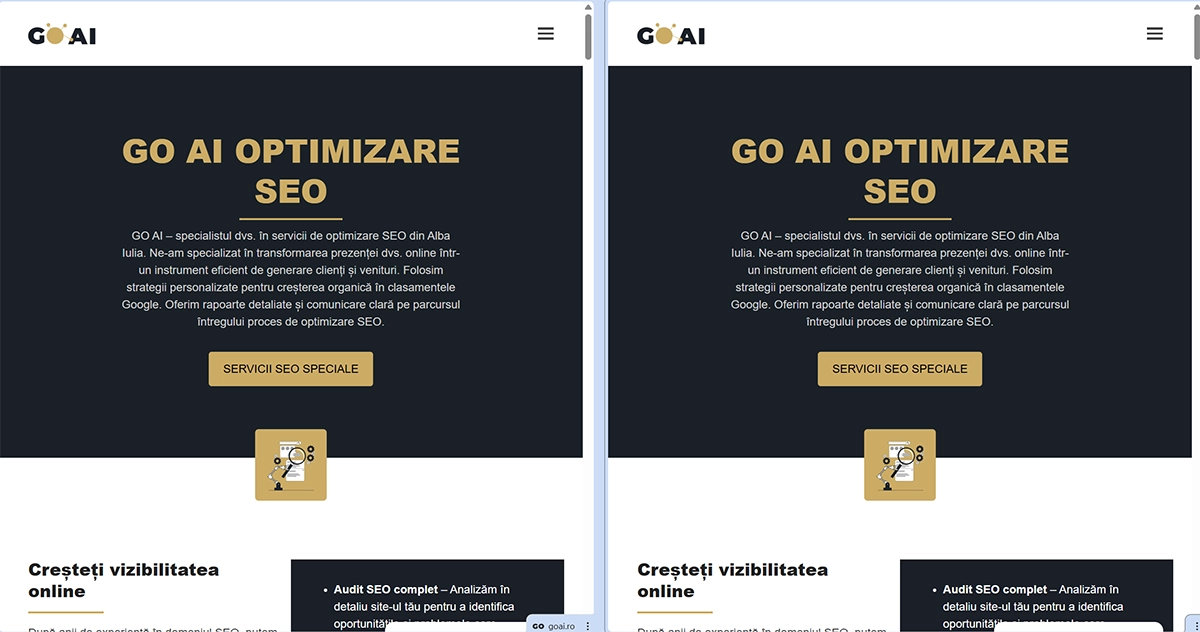
Advantages of using split view in Chrome
This feature brings clear benefits for users who work with multiple information sources simultaneously. For example:
- checking email and entering authentication codes without constantly switching between tabs
- comparing two web pages in real time
- writing content with references permanently visible
- analyzing data or technical documentation
Difference from existing solutions in other browsers
Other browsers allow windows to be displayed side by side, but this involves opening separate instances. Chrome's split view feature is integrated directly into the browser without additional steps.
Tabs remain accessible, can be quickly swapped, and can be reorganized without effort.
This integration simplifies the workflow and reduces time wasted managing windows.
AI mode integrated in Google Chrome
A second relevant functionality is the introduction of AI mode directly in Google search. Users who access google.com or perform regular searches can notice the AI mode option, which provides answers generated with the help of artificial intelligence.
This mode uses the Gemini infrastructure and is integrated natively without needing to access external platforms.
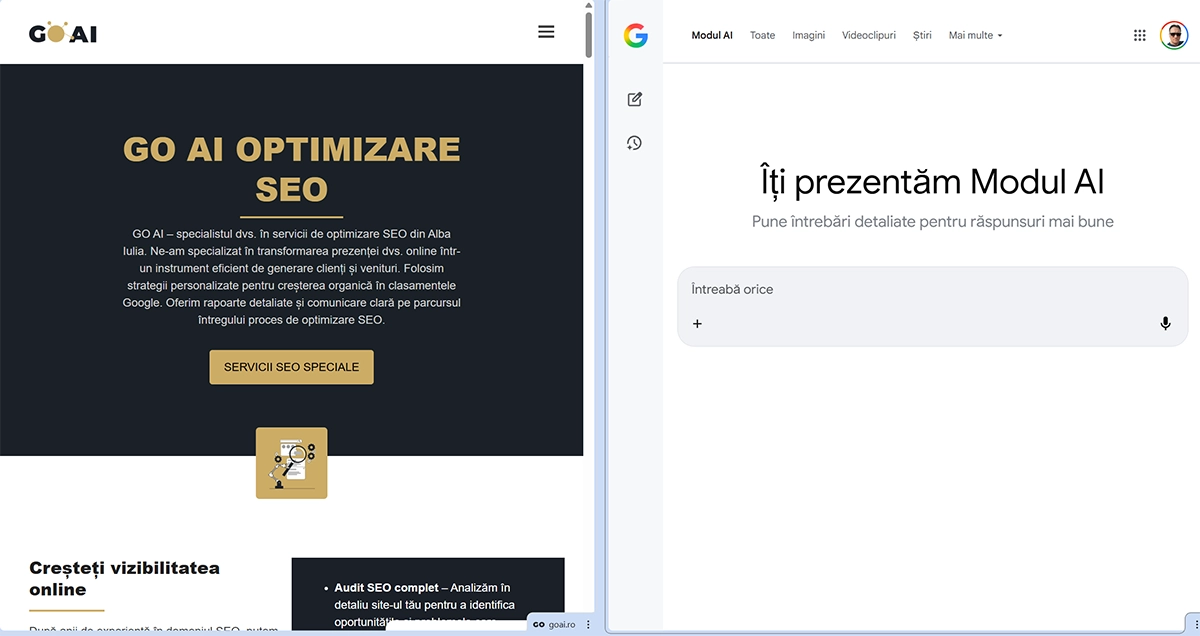
How AI mode works in daily searches
Instead of classic result lists, AI mode offers:
- quick summaries of information
- recommendations for websites considered safe
- structured answers to complex questions
- contextual suggestions for continuing your search
Benefits of using artificial intelligence directly in the browser
Integrating AI into Google Chrome brings efficiency and clarity. Users can:
- save time
- reduce the risk of accessing unsafe sources
- get structured answers quickly
- use AI without leaving the search engine
Google Lens integrated in Chrome on mobile
The third feature analyzed is considered the most spectacular. Google Lens, integrated in Chrome on mobile devices, allows identification of objects directly from the camera.
By pressing the camera icon, the user can photograph an object, and Google will analyze the image and search for relevant information on the internet.
Identifying objects from just a photograph
The Google Lens feature provides detailed results such as:
- object name
- year of manufacture
- historical or commercial context
- similar products available for sale
- collection or appraisal information
Practical uses of Google Lens
Google Lens can be used in multiple contexts:
- identifying unknown products
- verifying the authenticity of objects
- quick documentation
- translating text from images
- recognizing landmarks or buildings
Impact of these features on browsing experience
The three features presented indicate a clear direction for Google Chrome development. The browser becomes a multifunctional platform that combines browsing, productivity, and artificial intelligence in a single environment.
The native integration of these options reduces dependence on external applications and provides better control over how users interact with information.
Why these updates are relevant for the future
For users, these features mean:
- clearer workflows
- fewer interruptions
- quick access to information
- a more efficient user experience
Conclusions about Google Chrome evolution
Google Chrome is evolving beyond its traditional role as a browser. Features like split view, AI mode, and Google Lens demonstrate deep integration of artificial intelligence and user experience optimization.
For those who want to stay connected to new technologies and use the browser as a central work tool, these updates represent an important step forward.
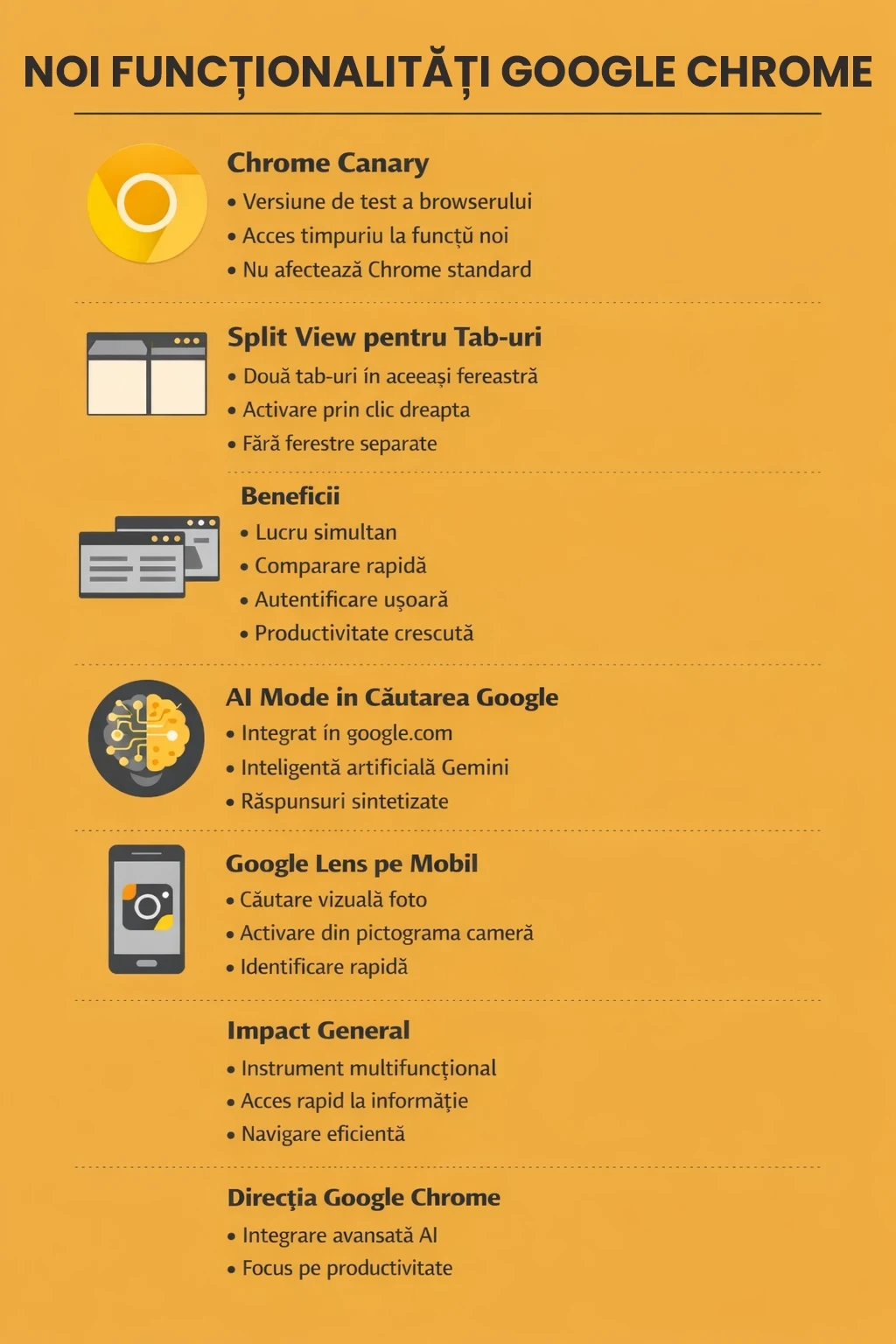
FREQUENTLY ASKED QUESTIONS
What is Chrome Canary and what is it used for
Chrome Canary is a test version of Google Chrome browser. New features appear first in this version, before reaching standard Chrome. You can install it separately without replacing your main browser.
How do you enable split view of tabs in Chrome Canary
Open Chrome Canary, right-click on a tab and select the "split view" option. The browser will display two tabs in the same window, side by side.
What advantages does split view have over two separate windows
Split view keeps everything in the same browser window. You no longer need to organize windows from the operating system. Work more easily with two pages, with quick switching between tabs and fewer interruptions.
For what situations is split view useful
It's useful when you need to see two pages simultaneously. For example, authentication with a code received on another email, comparing two sources, writing with references open, technical checks, or copying information between two pages.
What is AI mode in Google search and where do you find it
AI mode is an option in Google search that provides answers generated with the help of artificial intelligence. You can see it on google.com or in search result pages, depending on the search and availability of the feature in your account and region.
What do you get when using AI mode
You get synthesized answers, recommendations and search guidance. For some queries, the system indicates sources and organizes information more clearly than a standard list of results.
What is Google Lens in Chrome on mobile
Google Lens is a visual search feature. In Chrome on your phone, press the camera icon, photograph an object and get results about that object, without entering text.
What type of information can Google Lens find from a photograph
It can identify the object, display descriptions, commercial results, detail pages and similar items. It's useful when you don't know the name of the object or when you want quick information directly from the image.
How this article was made
- Author
- Dorel Tănase
- Published
- 4 January 2026
- Last updated
- 18 September 2026
- Sources
We work by our publishing principles, corrections policy, ethics policy.